
Setting up a new payroll system can feel like a big task. You need to move employee records, configure salary structures, connect attendance, set up deductions, check tax information, train your HR team, and make sure everything works before the first salary is processed.
A payroll implementation checklist helps you complete these tasks in the right order.
For businesses in Nepal, payroll implementation also needs to consider local salary structures, income tax, provident fund (PF), Social Security Fund (SSF), leave, overtime, allowances, advances, and attendance records.
A good payroll system should not simply calculate salary. It should bring together the information that affects salary and reduce repeated manual work.
With HR Khata, businesses can connect employee management, attendance, leave, payroll, tax and compliance, payslips, and reporting in one platform.
What Is Payroll Implementation?
Payroll implementation is the process of setting up a payroll system, transferring employee data, configuring salary rules, testing calculations, training users, and preparing the system for live payroll processing.
It is more than installing payroll software.
A successful implementation makes sure that:
- Employee information is accurate
- Salary structures are correctly configured
- Attendance data reaches payroll correctly
- Leave and overtime are handled properly
- Allowances and deductions are configured
- Tax and other payroll requirements are considered
- Payroll calculations are tested
- Employees can access their payslips
- HR and finance teams know how to use the system
This is why payroll implementation should be treated as a business project, not just a software setup task.
Why Payroll Implementation Matters for Businesses in Nepal
Payroll directly affects employees.
If an employee’s salary is wrong, even a small mistake can create frustration. Repeated mistakes can also increase the workload for HR and finance teams.
Many businesses still manage payroll using Excel sheets, paper attendance records, calculators, and separate accounting systems.
This can create problems such as:
- Incorrect attendance data
- Wrong overtime calculations
- Missed leave deductions
- Incorrect allowances
- Duplicate employee records
- Tax calculation mistakes
- Difficulty tracking advances and loans
- Payroll delays
- Manual payslip preparation
- Repeated data entry
As a company grows, these problems become harder to manage.
A proper payroll implementation creates a reliable process before these problems reach employees.
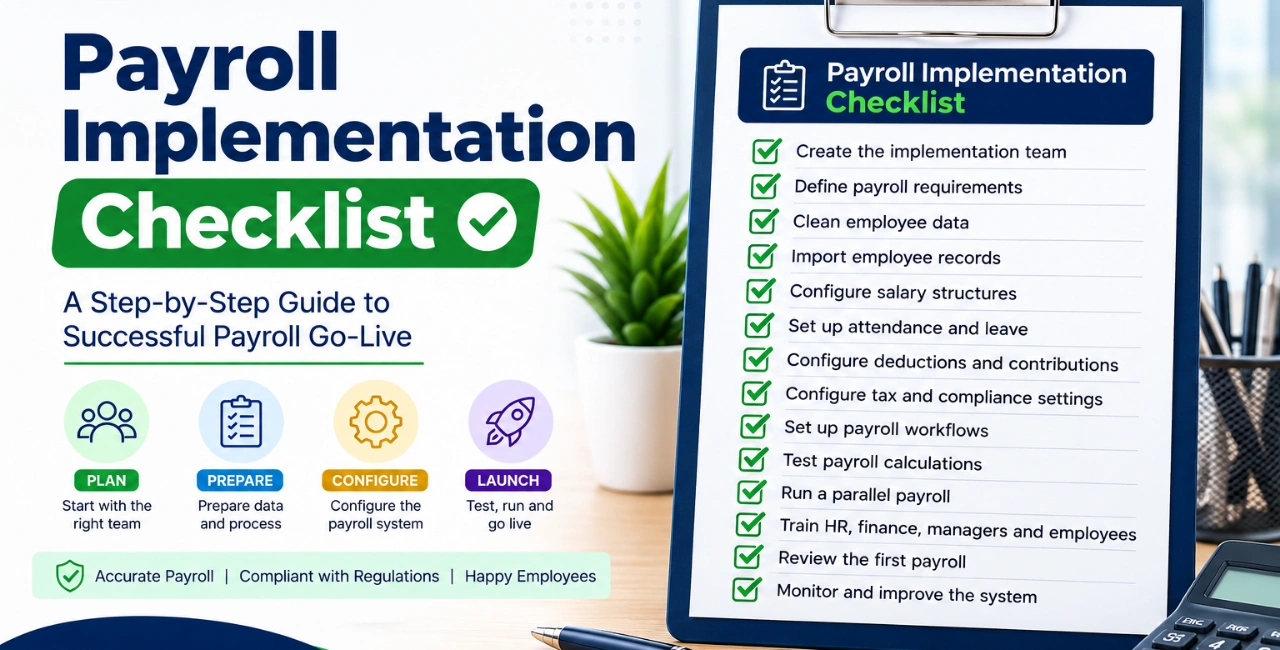
Payroll Implementation Checklist at a Glance
Here is a simple checklist you can use when implementing payroll software.
| Step | What to Check |
|---|---|
| 1 | Create the implementation team |
| 2 | Define payroll requirements |
| 3 | Clean employee data |
| 4 | Import employee records |
| 5 | Configure salary structures |
| 6 | Set up attendance and leave |
| 7 | Configure deductions and contributions |
| 8 | Configure tax and compliance settings |
| 9 | Set up payroll workflows |
| 10 | Test payroll calculations |
| 11 | Run a parallel payroll |
| 12 | Train HR, finance, managers and employees |
| 13 | Review the first payroll |
| 14 | Monitor and improve the system |
Let’s look at each step in detail.
Step 1: Create Your Payroll Implementation Team
Do not leave the entire implementation to one person.
Payroll normally involves several departments. HR manages employee information, finance reviews salary and payment information, managers approve certain records, and employees provide or verify their personal details.
Your implementation team may include:
- HR manager
- Payroll officer
- Finance or accounts representative
- IT representative
- Department managers
- Business owner or management
- Payroll software implementation team
Define responsibilities early
Before implementation begins, decide who will:
- Provide employee data
- Check employee information
- Approve salary structures
- Configure payroll rules
- Review tax settings
- Test payroll
- Approve the final setup
- Train employees
- Handle payroll issues after launch
Clear responsibility prevents confusion later.
Step 2: Define Your Payroll Requirements
Before configuring software, understand how your company currently processes payroll.
Every business has different salary structures and policies.
Make a list of your payroll requirements, including:
- Monthly salary
- Basic salary
- Allowances
- Overtime
- Bonuses
- Commissions
- Leave deductions
- Late deductions
- Advances
- Employee loans
- Provident fund
- Social Security Fund
- Income tax
- Other deductions
- Employer contributions
- Salary adjustments
- Final settlements
Also document your payroll schedule.
For example:
Attendance period → HR review → Payroll calculation → Approval → Payslip → Bank payment → Payroll reports
This gives your implementation team a clear picture of how the system should work.
Step 3: Clean Your Employee Data
This is one of the most important steps in payroll implementation.
Do not move inaccurate employee data into your new payroll system.
If your existing records are stored across Excel files, paper documents, biometric machines, or accounting software, review them before migration.
Employee information to check
Depending on your business requirements, you may need:
- Employee name
- Employee ID
- Contact information
- Address
- Joining date
- Department
- Designation
- Branch
- Employment status
- Salary
- Bank information
- Tax information
- PF information
- SSF information
- Leave balance
- Attendance records
- Advance or loan balance
- Salary history
Remove duplicate records and correct outdated information.
A clean employee database makes payroll setup much easier.
Step 4: Import Employee Records Into the Payroll System
Once the data has been cleaned, move it into your new payroll system.
Do not assume that a successful import means the data is correct.
Review a sample of employee records after migration.
For example, check:
- Employee name
- Salary
- Department
- Designation
- Joining date
- Bank information
- Salary components
- Deductions
- Leave balance
If your company has 500 employees, you may not manually check every field for every person, but you should create a structured validation process.
HR Khata provides a centralized employee database where employee profiles, documents, job information, and other workforce records can be managed together.
Step 5: Configure Salary Structures
Salary structures are at the heart of payroll.
Your payroll software should reflect the way your business actually pays employees.
For example, an employee’s salary may include:
- Basic salary
- Allowances
- Overtime
- Bonus
- Commission
- Employer contributions
- Employee deductions
- Tax
- Loan repayment
- Advance recovery
Different employees may have different salary structures.
For example:
| Employee Type | Possible Payroll Components |
|---|---|
| Office staff | Basic + Allowances + Deductions |
| Sales employee | Basic + Allowances + Commission |
| Factory worker | Basic + Overtime + Allowances |
| Manager | Basic + Allowances + Bonus |
| Field employee | Basic + Allowances + Field-related components |
HR Khata allows businesses to define salary structures with earnings, allowances, deductions, employer contributions, and custom salary heads.
Step 6: Connect Attendance and Leave With Payroll
Payroll accuracy depends heavily on attendance.
If attendance is maintained separately from payroll, HR teams often have to copy information from one system to another.
This increases manual work.
Your implementation should define how attendance affects payroll.
Check:
- Working days
- Absent days
- Late arrivals
- Overtime
- Half-day attendance
- Paid leave
- Unpaid leave
- Public holidays
- Weekly holidays
- Shift schedules
- Attendance corrections
HR Khata connects attendance, leave, and payroll so approved attendance information can be used during salary processing. It supports biometric, mobile, GPS, and web-based attendance methods.
Why this connection matters
Imagine an employee works 10 hours of approved overtime.
If attendance and payroll are separate, HR may need to:
- Check the attendance system
- Calculate overtime
- Enter the overtime into Excel
- Transfer it to payroll
- Recheck the calculation
An integrated system can reduce these repeated steps.
Step 7: Configure Deductions, Advances and Loans
Salary is not only about earnings.
You also need to configure the deductions that apply to your employees.
These may include:
- Tax
- PF
- SSF
- Salary advances
- Employee loans
- Leave deductions
- Other approved deductions
If your organization provides salary advances or employee loans, make sure repayment schedules are correctly recorded.
HR Khata includes advance and loan management, allowing repayments to be scheduled and recovered through payroll.
Step 8: Review Tax and Payroll Compliance Requirements
Payroll implementation in Nepal should include a review of applicable tax and employment-related requirements.
Depending on your organization and employees, payroll may involve:
- Employment income tax
- Tax deductions
- Provident Fund
- Social Security Fund
- Labour-related requirements
- Employer contributions
- Payroll reporting
The exact treatment can depend on current laws, employee circumstances, and company policies.
Do not rely on an old Excel formula or outdated payroll rule simply because it worked last year.
Before going live, have your payroll rules reviewed by the appropriate HR, finance, tax, or accounting professional where necessary.
HR Khata includes tax and compliance features designed for Nepalese businesses, including income tax, PF, SSF, and related payroll reporting.
Step 9: Configure Payroll Workflows
Payroll should have a clear approval process.
For example:
Attendance → Review → Payroll Calculation → HR Review → Management Approval → Final Payroll → Payslip → Bank Advice
Decide:
- Who can create payroll?
- Who can edit payroll?
- Who can approve payroll?
- Who can view salary information?
- Who can access employee records?
- What happens when a payroll error is found?
- Who handles payroll corrections?
Access control is especially important because payroll contains sensitive employee information.
Step 10: Configure Payslips and Payroll Reports
Before going live, decide what employees and management need to see.
Employee payslip
A payslip may show:
- Employee information
- Pay period
- Basic salary
- Allowances
- Overtime
- Gross salary
- Deductions
- Tax
- Other contributions
- Net salary
Employees should have an easy way to access their payslips.
HR Khata generates digital payslips and provides employee self-service access to payslips, leave information, attendance records, and tax summaries.
Management reports
Management may need:
- Payroll summary
- Department-wise payroll
- Employee salary reports
- Tax reports
- Deduction reports
- Attendance reports
- Overtime reports
- Salary history
Configure these reports before the first live payroll.
Step 11: Test Payroll With Real Employee Scenarios
Never launch a payroll system without testing it.
Create different test cases that represent your actual workforce.
For example:
Test Case 1: Regular employee
Basic salary + standard allowances + normal deductions.
Test Case 2: Employee with overtime
Basic salary + overtime + allowances + deductions.
Test Case 3: Employee with unpaid leave
Salary + approved deductions for unpaid leave.
Test Case 4: Employee with advance
Salary + monthly advance repayment.
Test Case 5: Employee with bonus
Regular salary + bonus + applicable deductions.
Test Case 6: New employee
Employee joined during the payroll period and requires the correct salary calculation.
Test Case 7: Employee leaving the company
Final salary and applicable adjustments.
Testing different situations helps identify problems before employees receive their salaries.
Step 12: Run a Parallel Payroll
A parallel payroll run is one of the safest ways to test a new system.
Run the same payroll using your existing method and the new system.
Then compare the results.
Check:
- Gross salary
- Overtime
- Allowances
- Tax
- Deductions
- Net salary
- Employer contributions
- Leave deductions
- Loan repayments
If the numbers are different, find out why before going live.
A difference does not always mean the new system is wrong. It may reveal an old spreadsheet formula or an incorrect employee record.
Step 13: Train HR, Finance, Managers and Employees
A payroll system is only useful if people know how to use it.
Training should not be limited to the payroll administrator.
HR and payroll team
Train them on:
- Employee records
- Salary structures
- Attendance
- Leave
- Payroll processing
- Adjustments
- Reports
- Payslips
- Payroll approval
Managers
Managers may need training on:
- Attendance approval
- Leave approval
- Overtime approval
- Employee changes
Employees
Employees should know how to:
- Check attendance
- Apply for leave
- View payslips
- Review salary information
- Check tax information
- Update permitted personal information
HR Khata’s employee self-service features allow employees to access important HR information without asking HR for every small request.
Step 14: Prepare for the First Live Payroll
The first payroll deserves extra attention.
Before processing it, use a final checklist.
First Payroll Checklist
- Employee records verified
- New joiners added
- Ex-employees updated
- Salary structures checked
- Attendance approved
- Leave records approved
- Overtime reviewed
- Bonuses checked
- Advances reviewed
- Loan deductions checked
- Tax settings reviewed
- PF/SSF settings reviewed where applicable
- Payroll calculations tested
- Payroll reports checked
- Payslips reviewed
- Bank advice/payment file checked
- Final payroll approval completed
Do not rush this stage just because the implementation deadline has arrived.
Step 15: Review Payroll After Go-Live
Payroll implementation does not end after the first successful payroll.
Review the system after the first one or two payroll cycles.
Ask:
- Were there any salary errors?
- Did employees report problems?
- Were attendance records accurate?
- Were leave deductions correct?
- Did overtime calculate correctly?
- Were reports useful?
- Did managers complete approvals on time?
- Does HR still need to perform manual work?
- Are there any missing salary components?
Use these findings to improve your payroll process.
Common Payroll Implementation Mistakes to Avoid
Even good payroll software can fail if implementation is poorly planned.
1. Moving dirty data into the new system
Incorrect employee information creates problems later.
Solution: Clean and validate data before migration.
2. Ignoring attendance
Payroll and attendance are closely connected.
Solution: Connect attendance and leave with payroll wherever possible.
3. Using one salary structure for everyone
Different employees may have different salary components.
Solution: Document your salary structures before configuration.
4. Skipping payroll testing
A system may appear correct until real payroll is processed.
Solution: Test multiple real-world employee scenarios.
5. Not running a parallel payroll
Without comparison, errors may only be discovered after salaries are processed.
Solution: Compare the old and new payroll before going live.
6. Training only the HR team
Employees and managers are also part of the payroll process.
Solution: Provide role-based training.
7. Forgetting post-launch support
The first live payroll can reveal issues that testing does not catch.
Solution: Keep an internal owner and software support contact available during the first payroll cycles.
Payroll Implementation Checklist for Nepalese Businesses
If you are implementing payroll software in Nepal, use this quick checklist:
Employee Data
- Employee profiles
- Employee IDs
- Joining dates
- Departments
- Designations
- Salary information
- Bank details
- Tax information
Attendance
- Attendance method
- Biometric integration
- Mobile/GPS attendance
- Working days
- Shifts
- Overtime
- Late rules
- Holidays
Leave
- Leave types
- Leave balances
- Leave approval
- Paid leave
- Unpaid leave
- Holiday calendar
Payroll
- Salary structures
- Allowances
- Bonuses
- Overtime
- Deductions
- Advances
- Loans
- Tax
- PF/SSF where applicable
Testing
- Sample payroll
- Different salary structures
- New employees
- Employees with leave
- Employees with overtime
- Employees with deductions
- Parallel payroll
- Payroll reports
- Payslips
Go-Live
- User training
- Payroll approval
- First payroll review
- Employee communication
- Payslip access
- Bank advice/payment preparation
- Post-launch review
How HR Khata Helps With Payroll Implementation
Payroll implementation becomes easier when employee information, attendance, leave, and payroll are connected.
HR Khata brings these functions together in one HRMS for businesses in Nepal. Its payroll features include salary structures, automated calculations, payslips, bank advice, deductions, and payroll reporting.
The system can also connect payroll with:
- Employee management
- Biometric attendance
- Mobile attendance
- GPS attendance
- Shift management
- Leave management
- Overtime
- Employee advances
- Employee loans
- Tax information
- Reports
- Employee self-service
This reduces the need to maintain separate spreadsheets for each HR process.
For example:
Employee checks in → Attendance is recorded → Leave and overtime are updated → Payroll uses approved data → Salary is calculated → Payslip is generated → Bank advice is prepared
That connected process is one of the main advantages of using an integrated HR and payroll system.
Payroll Implementation: Manual Process vs HR Khata
| Task | Manual Method | HR Khata |
|---|---|---|
| Employee records | Excel/files | Centralized system |
| Attendance | Paper/Excel/device | Connected attendance |
| Leave | Forms/messages/Excel | Digital leave workflow |
| Overtime | Manual calculation | Payroll-linked data |
| Salary calculation | Excel/formulas | Automated payroll |
| Deductions | Manual entry | Configured payroll rules |
| Payslips | Manual preparation | Digital payslips |
| Bank advice | Manual compilation | Payroll-based bank advice |
| Employee access | HR requests | Employee self-service |
| Reports | Manual preparation | Payroll and HR reports |
How Long Does Payroll Implementation Take?
There is no single timeline for every business.
A small company with clean employee records and simple salary structures may complete implementation relatively quickly.
A larger organization may need more time because of:
- Large employee numbers
- Multiple branches
- Different salary structures
- Shift workers
- Existing biometric systems
- Complex attendance rules
- Historical payroll data
- Tax requirements
- Multiple approval levels
- Data migration
- Employee training
The important thing is not to choose the fastest implementation.
Choose a process that gives you enough time to clean data, configure rules, test payroll, train users, and verify the first salary run.
What Should You Ask a Payroll Software Provider Before Implementation?
Before selecting a payroll system, ask:
| Question | Why It Matters |
|---|---|
| Can you migrate our employee data? | Reduces manual data entry |
| Can payroll connect with attendance? | Prevents duplicate work |
| Does it support our salary structure? | Ensures accurate calculations |
| Can we configure deductions? | Supports company policies |
| Does it support Nepal payroll requirements? | Helps local businesses |
| Can we test payroll before going live? | Finds errors early |
| Is employee self-service available? | Reduces HR workload |
| Can we generate payslips? | Improves transparency |
| Can we prepare bank advice? | Simplifies salary payment |
| What support is available after launch? | Helps during the first payroll |
Frequently Asked Questions
What is a payroll implementation checklist?
A payroll implementation checklist is a step-by-step list of tasks required to successfully set up and launch a payroll system. It normally covers data collection, salary configuration, attendance, deductions, testing, training, first payroll, and post-launch review.
How do you implement a payroll system?
Start by defining your requirements and implementation team. Then clean employee data, configure salary structures and deductions, connect attendance and leave, test payroll, train users, run a parallel payroll, and finally process the first live payroll.
What employee data is needed for payroll implementation?
Common information includes employee profiles, joining dates, departments, designations, salary details, bank information, tax information, attendance, leave balances, deductions, advances, and other payroll-related records.
Why should attendance be connected to payroll?
Attendance can affect working days, overtime, leave deductions, and salary calculations. Connecting attendance with payroll reduces repeated data entry and helps ensure salary calculations use approved attendance information.
Should I test payroll before going live?
Yes. Payroll should be tested before the first live salary run. Test regular employees as well as employees with overtime, leave, bonuses, advances, deductions, new joining dates, and other situations that occur in your business.
What is a parallel payroll run?
A parallel payroll run means processing payroll using both the existing method and the new payroll system, then comparing the results. It helps identify calculation or configuration problems before the new system becomes the main payroll system.
Is payroll implementation only an HR responsibility?
No. HR, finance, payroll, managers, employees, IT, and the software provider may all have a role. The exact team depends on the size and structure of the business.
Can HR Khata connect attendance with payroll?
Yes. HR Khata connects attendance and payroll workflows and supports biometric, mobile, GPS, and web-based attendance. Attendance and leave information can be used as part of payroll processing. (hrkhata.com)
Does HR Khata support payroll for businesses in Nepal?
HR Khata is designed for businesses in Nepal and includes payroll, attendance, leave, employee management, tax and compliance, payslips, reporting, and employee self-service features.
Conclusion
A successful payroll implementation is not simply about installing payroll software.
It starts with clean employee data, clear payroll requirements, correct salary structures, connected attendance and leave, properly configured deductions, thorough testing, user training, and careful first-payroll review.
For businesses in Nepal, the process should also account for local payroll needs such as tax, PF, SSF, overtime, allowances, leave, advances, and employee records.
HR Khata brings these HR and payroll processes into one platform, helping businesses reduce manual work and create a more organized payroll process.
If your business is still managing payroll through Excel, paper records, or multiple disconnected systems, HR Khata can help you move toward a simpler and more connected payroll process.
Ready to improve your payroll process? Request a demo of HR Khata and see how it can fit your business.